Charts
Charts everyone can read.
Area, bar, line, pie, radar, radial and scatter, built on Recharts and the shadcn chart. 43 examples that follow your theme, handle loading and errors, and work for people who cannot tell the colors apart or cannot see the chart at all.
npx shadcn@latest add @ballmac/chart-areaA table behind every chart
One switch turns the chart into an accessible table of the same numbers, with a CSV download. People who cannot see a chart, or would rather read the figures, are not left out.
Never only color
Patterns fill series with stripes, dots and hatching as well as color. Lines can be dashed or labeled at their ends. Change is written in words as well as shown with an arrow.
Written for screen readers
Every chart is a named figure with a summary made from its data: first to last, highest and lowest, or a ranking. Say what it means with your own summary if you like.
Finished states
Loading, empty and error are part of the frame, with a skeleton in the shape of the chart. Reduced motion stops the animation. Axes and labels mirror in right-to-left.
Every chart
Each tile is live: try the Table view, the legend and the Patterns switch. Copy the command to install that exact chart.
Two series with gradient
@ballmac/chart-area-demo
Stacked
@ballmac/chart-area-stacked
Expanded to 100%
@ballmac/chart-area-expanded
Step
@ballmac/chart-area-step
Linear with dots
@ballmac/chart-area-dots
Patterns for color blindness
@ballmac/chart-area-patterns
Reference line and footer
@ballmac/chart-area-target
With a range picker
@ballmac/chart-area-interactive
Loading, empty and error
@ballmac/chart-area-states
Grouped columns
@ballmac/chart-bar-demo
Flat bars with labels
@ballmac/chart-bar-horizontal
Stacked
@ballmac/chart-bar-stacked
Expanded to 100%
@ballmac/chart-bar-expanded
Value labels and a highlight
@ballmac/chart-bar-labels
One color per category
@ballmac/chart-bar-categories
Positive and negative
@ballmac/chart-bar-negative
Ranking
@ballmac/chart-bar-ranked
Patterns for color blindness
@ballmac/chart-bar-patterns
Two series
@ballmac/chart-line-demo
Linear with dots
@ballmac/chart-line-dots
Actual against plan
@ballmac/chart-line-dashed
Labels on the lines
@ballmac/chart-line-direct
Value labels
@ballmac/chart-line-labels
Step
@ballmac/chart-line-step
Gaps for missing data
@ballmac/chart-line-gaps
Five series with patterns
@ballmac/chart-line-compare
Donut with the total
@ballmac/chart-pie-demo
Full pie with labels
@ballmac/chart-pie-full
Half ring
@ballmac/chart-pie-half
A pulled-out slice
@ballmac/chart-pie-highlight
Patterns for color blindness
@ballmac/chart-pie-patterns
A goal ring with your own center
@ballmac/chart-pie-center
One series
@ballmac/chart-radar-demo
Two series with the scale
@ballmac/chart-radar-compare
Circular rings, outlines and dots
@ballmac/chart-radar-circle
Patterns for color blindness
@ballmac/chart-radar-patterns
A goal gauge
@ballmac/chart-radial-demo
Concentric rings
@ballmac/chart-radial-rings
Half-circle gauge
@ballmac/chart-radial-half
Patterns for color blindness
@ballmac/chart-radial-patterns
One group
@ballmac/chart-scatter-demo
Groups by color
@ballmac/chart-scatter-groups
Bubbles sized by a third number
@ballmac/chart-scatter-bubble
Dashboards made of them
Whole sections with figures worked out from your data. See every block.
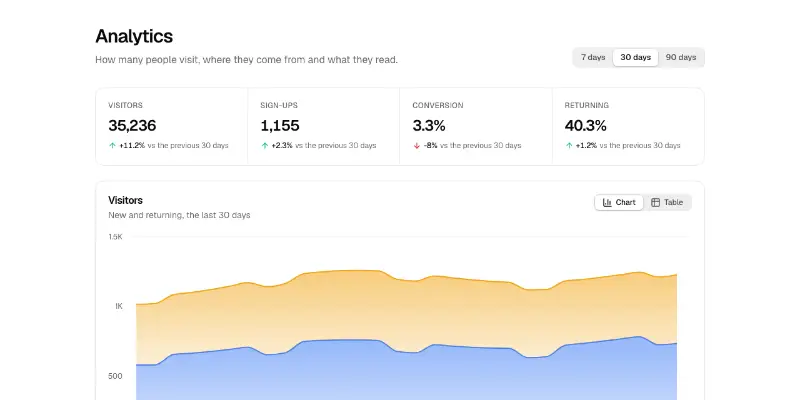
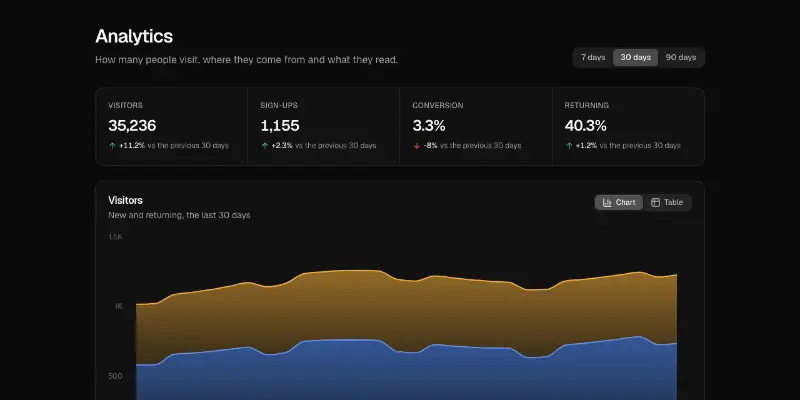
An analytics overview: a range picker, four figures with their change from the period before, a stacked area chart of new and returning visitors, top pages and a sources donut, each with a table view and CSV download.
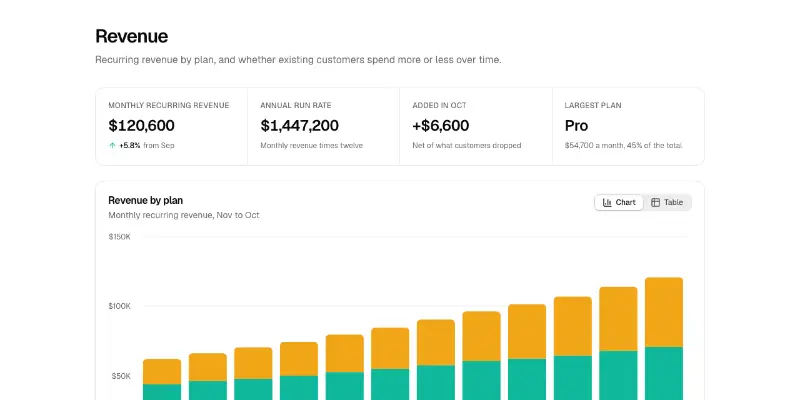
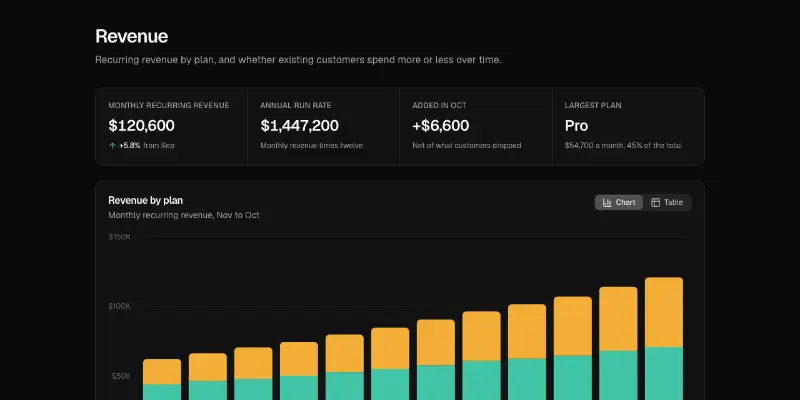
A revenue report: monthly recurring revenue, annual run rate, what was added last month and the largest plan, then revenue by plan as stacked columns and net revenue retention as a line against the 100% mark.
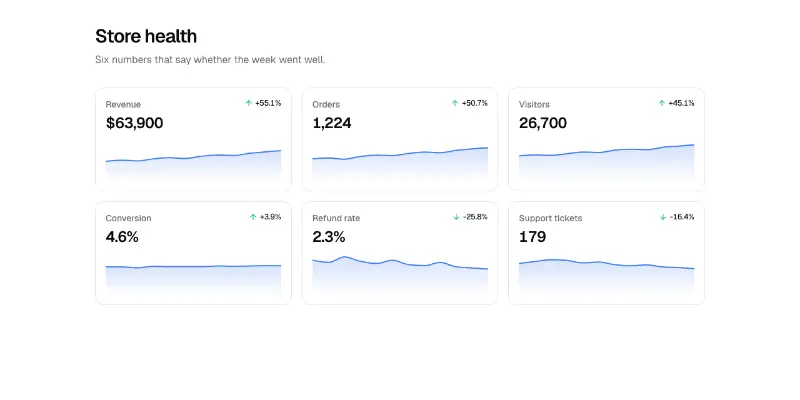
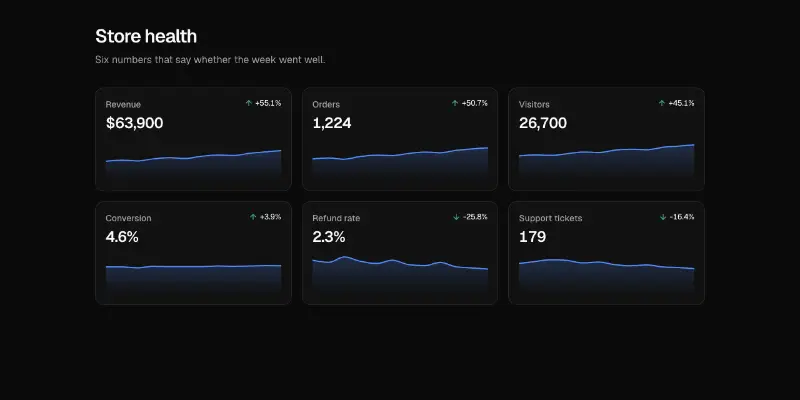
Small multiples: one small area chart per metric with the latest value, its change over the period in words and an arrow, which direction is good news, and a written summary for screen readers.
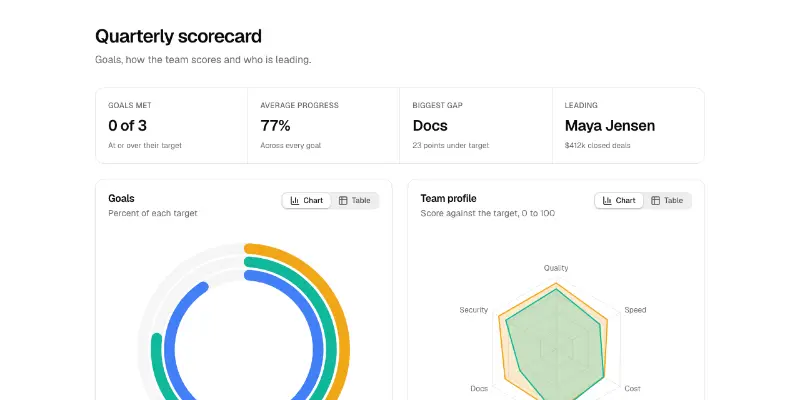
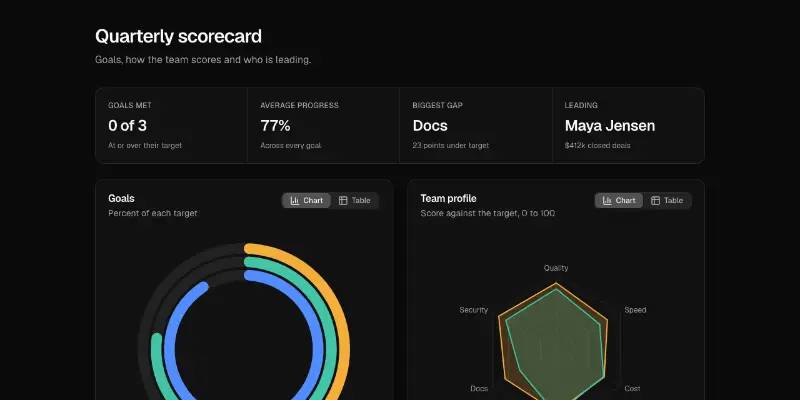
A quarterly scorecard: goals met and average progress, concentric rings for the goals, a radar of the team against its targets and a ranked bar chart, with a table view and CSV download on every chart.