- @ballmac/mcp 1.2.0
Platform feels for macOS, iOS and Windows
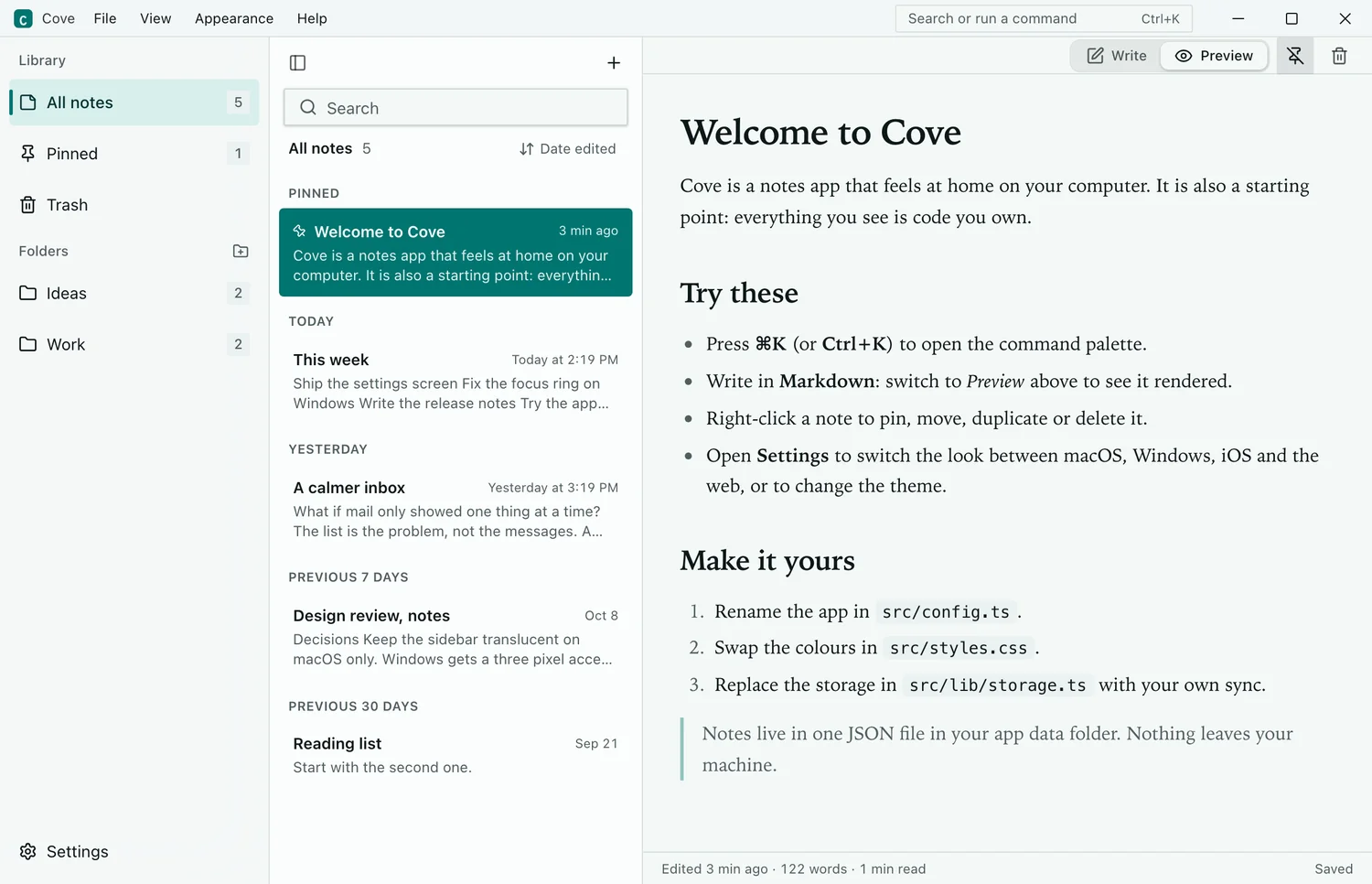
A feel is everything about a product except its colors, and every component can now handle like macOS, iOS or Windows.
New
- Four feels, working on top of any color theme: Web (the default), macOS, iOS and Windows. Install one with
@ballmac/feel-macos,-ios,-windowsor-web, or@ballmac/feel-auto, which sets the right one from the device before first paint.useFeel()andsetFeel()let people override it. See Pick a platform feel. - app-window is the window chrome of a real Tauri or Electron app: a title bar that drags the window and maximizes on double-click, traffic lights on the left for macOS, caption buttons on the right for Windows. No Tauri or Electron dependency; you pass the actions. Based on tauri-controls (MIT).
- The theme builder has a Platform feel picker, a window in the preview and a Compare view of your colors in all four feels;
/themes?fe=windowsopens one. - The MCP server (from 1.2.0) knows about feels:
compose_pagetakes afeel, or reads macOS, Windows, iOS, Tauri or Electron from the request.
Improved
- Tailwind's shadow and text scales follow the feel, and one rule restyles the focus ring on every component that uses shadcn's standard focus classes (250 Ballmac items, and shadcn's own). Button, Input, Select, Tabs, Sidebar, menus, popovers and hover cards read feel tokens; nothing changes without a feel.
- The 12 color themes and the base theme carry the web-feel tokens, and new checks fail the build when an endless loop ignores the theme or a component draws its own focus ring without being listed.
- These are web components that feel like each platform, not native controls, and Ballmac UI is not affiliated with Apple or Microsoft. Setup for Tauri v2 and Electron is in Ship a desktop app.